Customization
Install and manage themes
Deploy a theme, preview its appearance and recover safely from a broken override.
On this page
Install a theme package#
Obtain a trusted theme compatible with extension API 1. Review its manifest, templates and JavaScript. Place its directory at themes/<theme-id> using server access. There is no archive-upload workflow documented here; deploying files and activating the theme are separate actions.
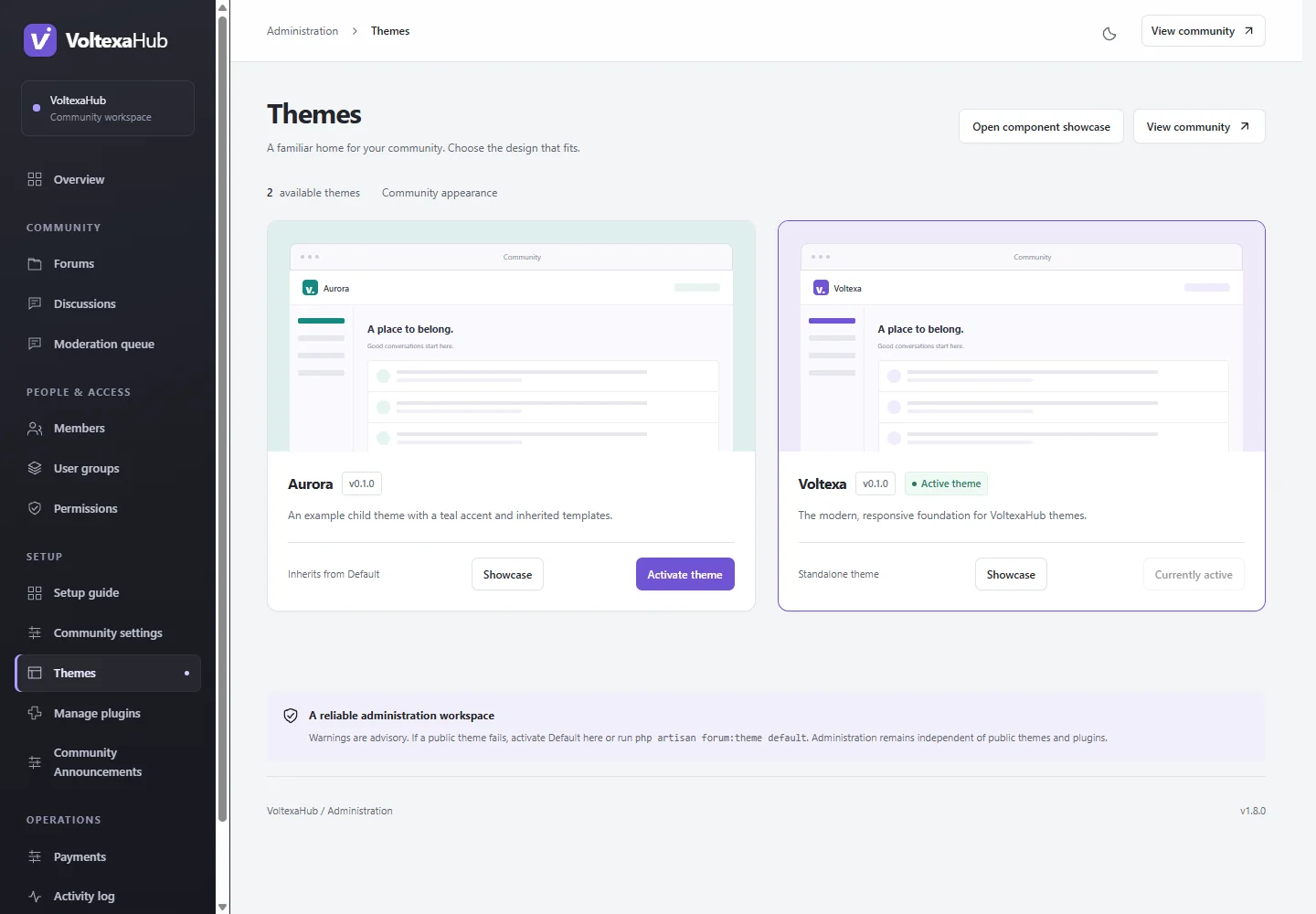
Open Administration → Themes (/admin/themes). Invalid or incompatible manifests may be omitted. Check parent dependencies and the declared view revisions before activation.
Preview and activate#
Use the component showcase (/admin/themes/showcase) to inspect synthetic components in the chosen theme, appearance and viewport. This sandbox does not perform real forum actions. Activate through Themes or:
php artisan forum:theme your-theme
Check the actual directory, discussion, editor, login, registration, profile, search and messaging pages in both appearance modes and on mobile. Rehearse guest/member/staff access and keyboard controls.
Read compatibility warnings#
An override's view_revisions records the core revision it was reviewed against. Warnings identify old, missing or future declarations; activation alone does not establish correctness. Compare the current default view and contract, update the override, then update its revision. Remove an unnecessary override to inherit the current parent view.
Recover and update#
Administration is independent of the public theme. Switch back to Default there or run php artisan forum:theme default. Keep a copy of the previous custom package before replacement. Child CSS and templates do not need an asset rebuild; compiled application asset changes do.
For your own design, follow child theme development instead of editing the default theme or core.