Administration
Permissions and private spaces
Understand global and forum rules, inherited access and the member inspector.
On this page
Where to configure access#
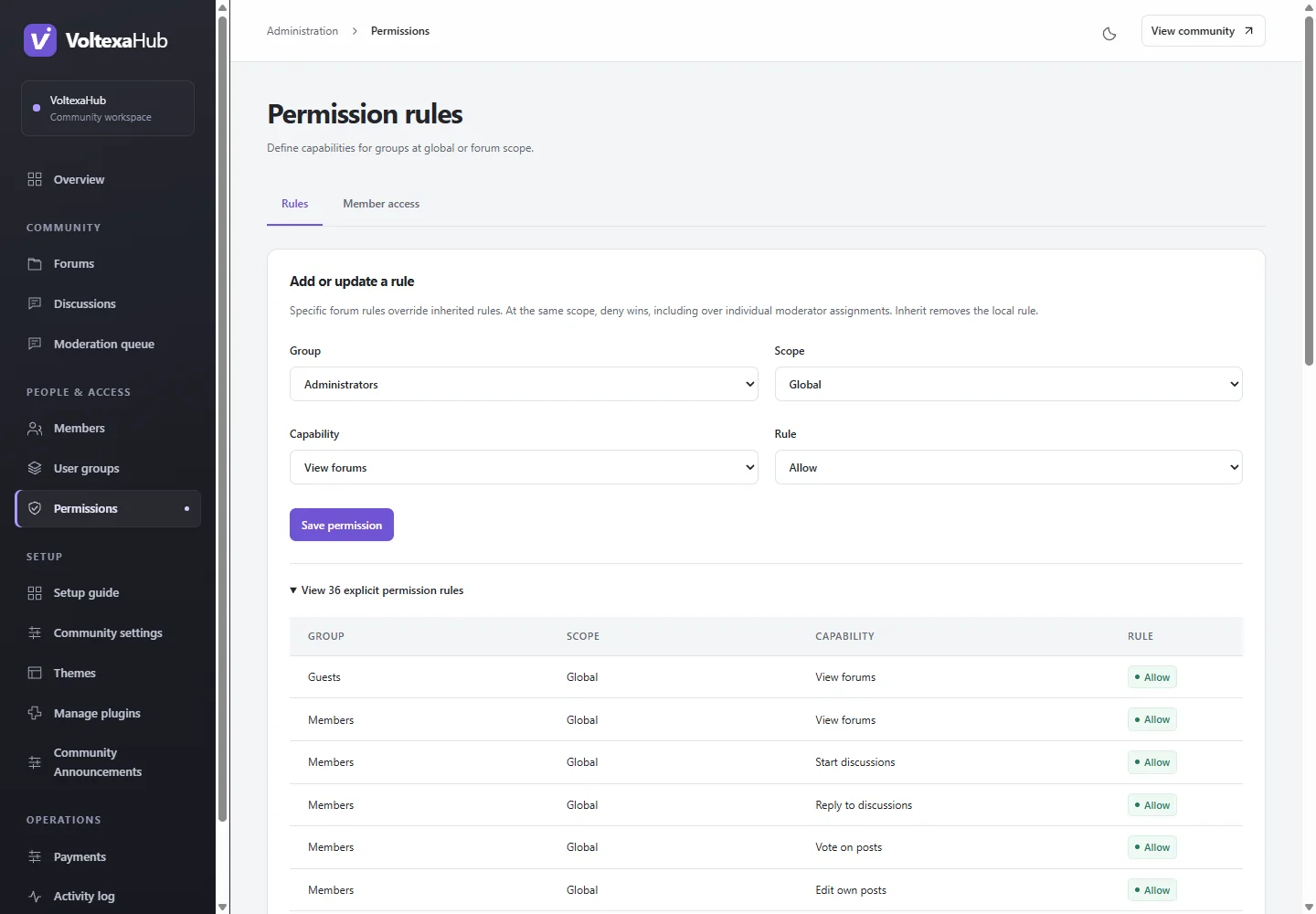
Open Administration → Permissions (/admin/permissions) for group rules. Rules can apply globally or at a specific forum. Use Member access (/admin/permissions/inspect) to inspect what a selected member actually receives and why.
Build a private space deliberately#
- Create a dedicated ordinary group for the members who need access.
- Review guest and registered-member rules at the restricted forum/category boundary.
- Grant the intended group the required viewing/posting abilities at the appropriate scope.
- Inspect a member who has only ordinary membership, a member with the special group, and staff.
- Test the direct forum and discussion URLs, search, profile activity, directory counts and attachments as each role.
Visibility and the ability to reply are separate capabilities. Existing explicit denies and bans remain authoritative; the inspector is more reliable than guessing how multiple rules combine. Parent moves or new groups can alter access assumptions, so repeat inspection after those changes.
Moderator access#
Forum assignments are separate from a global moderation grant. Assign staff to the relevant space in its editor and check the scope, descendants and allowed actions. Private-message report review is a separate global capability and does not grant arbitrary inbox access.
Plugin permissions#
Plugins can declare their own global abilities. Newly declared abilities receive no automatic grants; explicitly allow only the intended groups. A hidden menu link is not security, and a plugin handler must separately authorize each object's reads, writes, searches and counts. See plugin development.
Theme customization#
Themes must render only core-provided authorized data. They must not rebuild relationships or calculate unrestricted counts. Public screens and search must remain secure regardless of layout customization.