Administration
Email delivery and inbox verification
Configure a protected mail transport and distinguish submission from receipt.
On this page
Open Email delivery#
Go to Community settings → Email delivery (/admin/settings/email). The application inherits the host's deployment mail configuration until you explicitly save an override. Protected overrides support SMTP with STARTTLS or implicit TLS, and Resend.
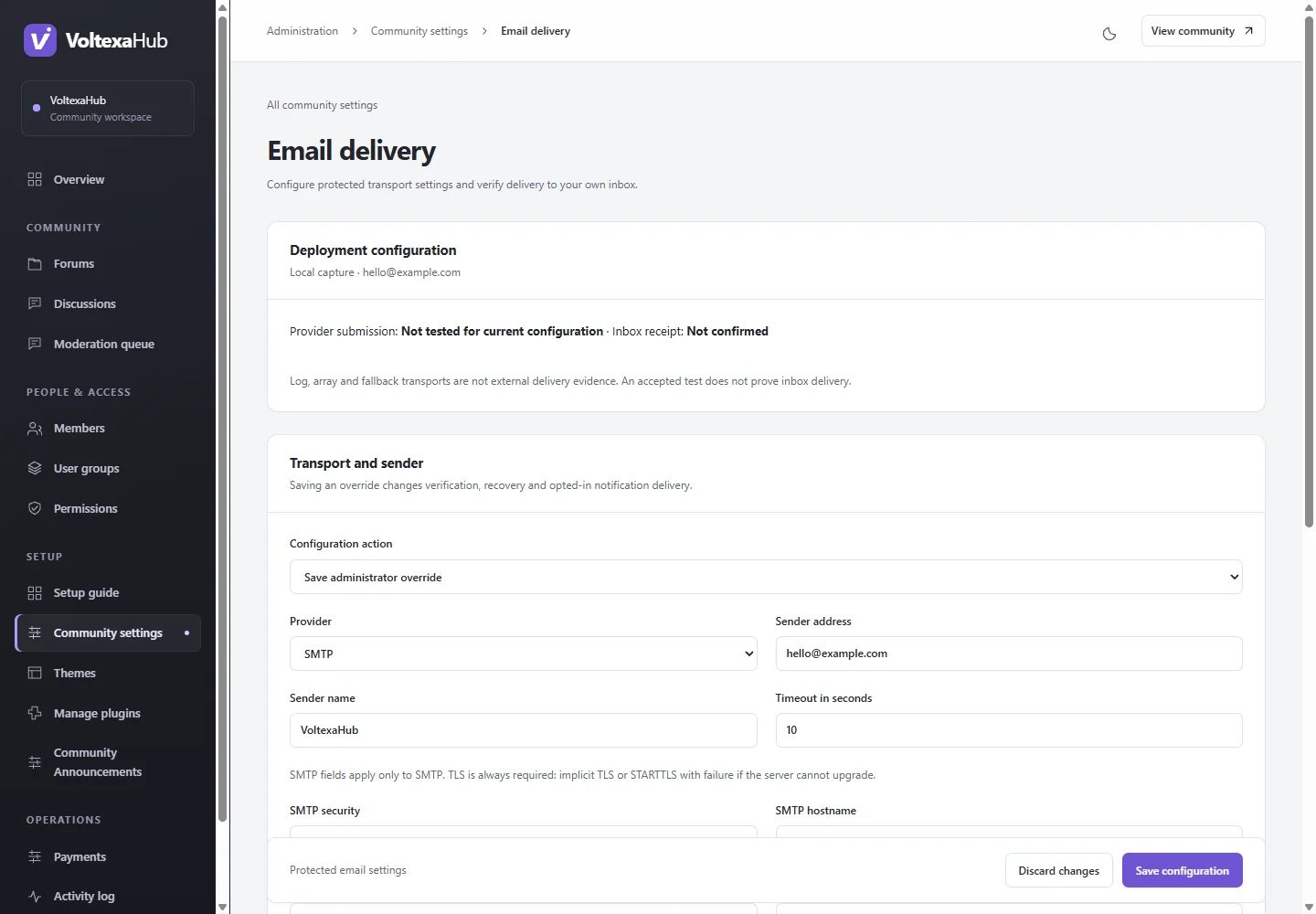
Configure a transport#
Use a sender/domain verified by your mail provider. For SMTP, enter its hostname, port, required TLS mode and authentication. For Resend, supply the provider credential and sender. Use your current administrator password for protected saves. Blank credential fields retain an existing credential for the same provider; changing providers requires the new provider's credential. Inherit restores deployment configuration.
Credentials are masked and encrypted using APP_KEY. Keep that key stable and backed up. They are never intended for generic community settings, screenshots or source control.
Send and confirm a test#
The deliberate rate-limited test sends to the signed-in administrator's verified address. Provider acceptance means the provider accepted submission. It is not proof the message reached an inbox.
Open the signed confirmation link from that message within 30 minutes while signed in as the same administrator. Expiry, replay, address changes or configuration changes invalidate it. Log/array transports cannot establish real delivery. Check spam folders, sender verification and DNS/provider configuration if submission works but receipt does not.
Check member mail#
Rehearse signup verification and password recovery using an address you control. Watched-discussion and opted-in access notifications use the queue worker; a successful direct administrator test does not prove that worker is running.
Workers refresh protected overrides before jobs. Deployment environment changes still need normal worker restarts. If an encrypted override becomes unreadable, explicitly replace it or restore inheritance instead of regenerating APP_KEY.