Administration
Forums, categories and starter templates
Organize spaces, move them accessibly and check their visibility.
On this page
Create a small structure#
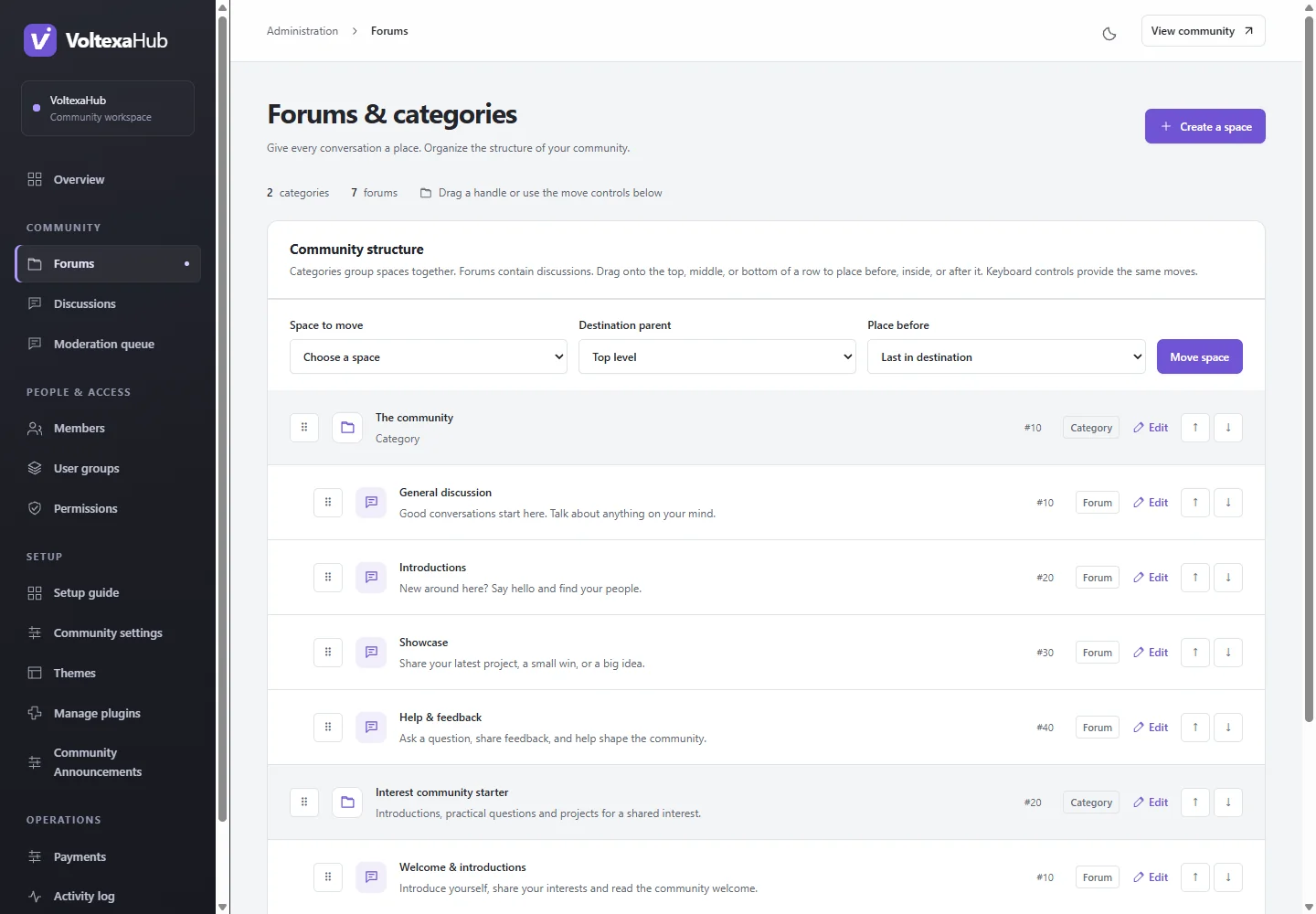
Open Administration → Forums & categories (/admin/forums) and choose Create a space. Categories group spaces; forums contain discussions. Choose the appropriate type, name, description and parent. Begin with a welcome/support area and a few focused forums rather than many empty sections.
Move existing spaces#
Drag a row handle to place it before, inside or after another space. The move controls provide the same operation by keyboard: choose the source space, destination parent and optional space to place before, then submit Move space. If another administrator changed the hierarchy, reload and review the current tree before retrying.
Changing a parent can change inherited access. After moving a restricted forum, use the permissions inspector and test its direct URL, search and activity as the intended roles.
Public directory behavior#
The homepage shows visible categories and compact child-forum links. A parent forum lists discussions across its reachable visible descendants and identifies their source forums. A leaf forum shows its own discussions. Counts and latest activity respect the viewer's visibility; an administrator's directory can differ from a guest's.
Starter templates#
For an initial structure, open Setup guide → Starter templates, preview and explicitly apply a template. Applying adds a dedicated structure, group and rules once. Existing spaces and rules remain intact. The creator workshop requires particular attention to private group access, including groups created later. Templates do not create paid memberships; configure payments separately.
Assign scoped moderators in the space editor where appropriate and rehearse their available actions with a separate staff account.