Customization
Install, update and recover plugins
Understand code deployment, lifecycle controls, dependencies and retained data.
On this page
Review and deploy the package#
Plugins execute trusted server-side PHP. Review the author, code, API/version compatibility, dependencies, migrations and declared table ownership before deployment. Back up your database and uploads before installing a migration-bearing extension.
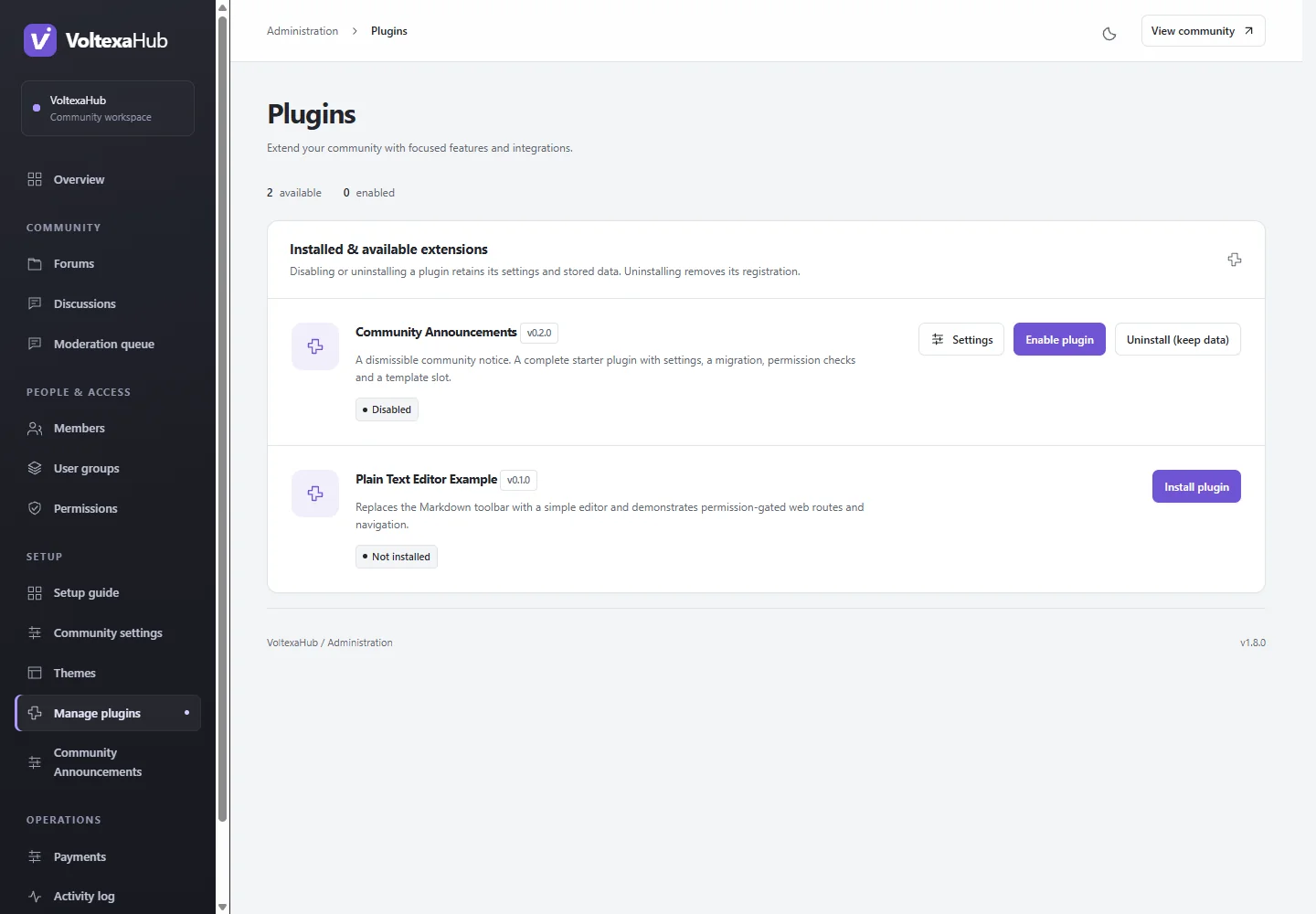
Place the package at plugins/<plugin-id>. Open Administration → Plugins (/admin/plugins), install it to register/apply migrations, then enable it for public hooks/routes. File deployment alone does not enable a plugin. Install and enable dependencies first.
Grant capabilities and configure#
New plugin abilities have no automatic group grants. Configure permissions for intended groups and test denied users. Installed configurable plugins have settings links, including when disabled for recovery. A configuration page may require its own management capability.
Upgrade a plugin#
Read its release notes, create a backup, deploy the new package and use Upgrade or:
php artisan forum:plugin upgrade your-plugin
Disable enabled dependents before upgrading their dependency. Core disables the target during migration and restores enabled state only after success with compatible enabled dependencies. A failed migration keeps the old recorded version and the plugin disabled. MySQL DDL can remain partly applied: inspect and repair before retrying. Do not delete migration history or change shipped migration files to force success.
Disable, uninstall or purge#
Disable removes public hooks/routes while retaining data. Uninstall requires the plugin disabled and no installed dependents; normal uninstall retains data and migration history for reinstall. Purge is destructive, drops declared plugin-owned tables and exact migration records, and requires a backup/review. It is an explicit CLI option, not routine cleanup.
Emergency recovery#
Disable a faulty plugin through Administration, which does not boot public plugins. For wider recovery use php artisan forum:plugins:disable or FORUM_PLUGINS_ENABLED=false. Restore compatible packages deliberately. Billing-provider removal needs reconciliation/cancellation review first; restart workers after provider code changes.